Car 2 Home communicates with your vehicle through an ELM327-compatible OBD-II adapter.
The adapter is the bridge between the app and your car's Electronic Control Unit (ECU), so choosing the right model directly affects your experience with the app and how reliable that connection will be.
Supported connection types:
Bluetooth Classic (versions 1.x, 2.x, 3.x)
Bluetooth Low Energy (BLE 4.0+)
Wi-Fi
USB cable (Android only)
Key decisions when buying an adapter
When you buy an adapter, you're really answering two separate questions:
- Will it physically connect to my phone or tablet? The answer depends on the wireless technology the adapter uses and on your device's operating system.
- Once connected, will it work well? That comes down to the adapter's build quality, and unfortunately the market is flooded with devices that look identical on the outside but behave very differently on the inside.
We'll cover each of these questions in detail.
Overview of supported connection types
Important!
Despite the similar name, Bluetooth Classic and Bluetooth LE are not the same technology. "LE" stands for Low Energy, and the protocols are fundamentally different. An iPhone cannot pair with a Bluetooth Classic (non-MFi) adapter, no matter which app you use.
If you use an iPhone or iPad (iOS)
iOS restricts Bluetooth Classic accessories to MFi-certified devices. That means your options are:
- Bluetooth LE (4.0+): Recommended for most users. Easy to pair, widely available and reasonably priced.
- Bluetooth MFi: The premium option. Higher data throughput, but noticeably more expensive and harder to find. There are only a few options on the market.
- Wi-Fi: Technically compatible, but don't expect a smooth experience, because while the adapter is connected your phone usually loses access to your carrier's mobile data, unless you configure its Wi-Fi network and make some additional changes in your phone's operating system.
⚠️ A very common mistake: buying a cheap/generic "ELM327 Bluetooth" adapter online and expecting it to work with an iPhone. It won't. This is not a limitation of our app or any other app, it's an architectural restriction of iOS itself that no app can bypass. If the listing doesn't explicitly say Bluetooth 4.0 / LE or MFi, assume it's incompatible with iOS.
If you use an Android phone or tablet
Android is more permissive and supports all three connection types. The most reliable choice is Bluetooth Classic, since it's faster than BLE and more stable than Wi-Fi. About 95% of Android users go this route.
Important!
Some Android devices handle multiple simultaneous Bluetooth connections poorly (for example, when the phone is already paired with the car's infotainment system). If you notice drops or pairing conflicts, BLE is a viable backup option.
Good vs. bad adapters: what's the real difference?
The "original" ELM327
- It's a PIC microcontroller (from Microchip) running proprietary firmware from ELM Electronics (Canada)
- It went through firmware versions over time: v1.0, v1.1, v1.2, …, v1.4, v1.4b, v2.1, v2.2, v2.3 (v2.3 is one of the last official ones)
Important! ELM Electronics discontinued production and sale of the chip a few years ago. So today, the "original ELM327" is practically no longer for sale; what circulates on the market are clones.
The market confusion
The name "ELM327" has become a generic synonym for an OBD-II adapter, but the overwhelming majority of adapters sold today don't use the original ELM chip. They use:
- ELM327 clones: cheap (Chinese) copies of the original firmware, usually on generic chips.
They work, but with bugs and an incomplete implementation. These are the ones that falsely claim to be "v1.5" or "v2.1". - Higher-quality alternative chips: The main ones are:
- STN (STN1110, STN2120 family, etc.): made by OBD Solutions and used in premium adapters like the OBDLink. Fully compatible with practically all ELM327 commands, but far superior.
- Proprietary chips from manufacturers such as Vgate (in the better BLE models).
We provide a more comprehensive list below.
What truly sets a good adapter apart from a bad one is behavior.
A good one is predictable and reliable: it connects fast, keeps the connection stable, responds well to commands and does all of this regardless of temperature, humidity or how long it's been in use.
A bad one fails in the most creative and frustrating ways imaginable.
Symptoms of a low-quality adapter
- - It won't connect at all.
- - It connects, but freezes, restarts or drops after a few minutes of use, it's not stable.
- - It claims to support the entire ELM327 command set, but silently ignores or fakes (makes up false data in) responses to the ones it doesn't have.
- - It has the module's address on the network (ECU) hard-coded, so you can only read one module on the vehicle and it won't let you read extended PIDs, manufacturer-specific DTCs, etc.
- - It fails while sending or receiving data, e.g.: if the ECU returns five frames, the adapter forwards only three and the app can't reassemble the response.
- - It corrupts data in transit.
- - It only supports a subset of the OBD-II protocols it advertises. If your car uses one of the missing protocols, the adapter simply won't work; even if it works perfectly in your neighbor's car, it may not work in yours, since each manufacturer implements a different protocol.
- Worst case: it floods the vehicle's CAN network with malformed traffic, interfering with real-time engine control. There are many cases reported online of rough idling and drivability problems while one of these cheap adapters was plugged into the vehicle.
For users who plan to go beyond a simple lookup, such as constant monitoring, running diagnostics or clearing persistent faults, adapter quality is not optional. An unstable adapter during an ECU change can leave the vehicle with real problems.
The uncomfortable truth: there are more bad adapters on the market than good ones. It's entirely realistic to buy ten units from different sellers and end up with ten terrible adapters.
Adapters worth considering
These recommendations are based on hands-on testing and user feedback.
The models are ordered from the most premium down to the best value for money.
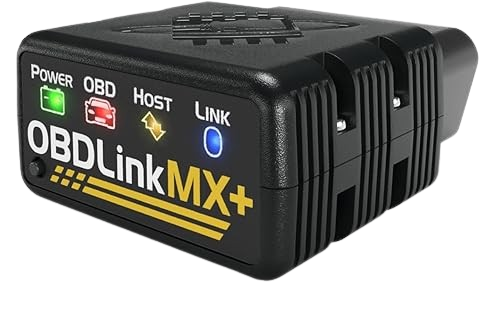
OBDLink MX+
Bluetooth MFi: works on iOS and Android.
Easily the best adapter on this list.
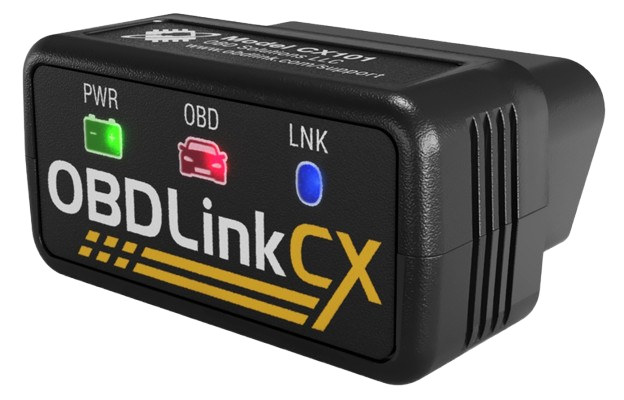
OBDLink CX
Bluetooth LE: works on iOS and Android.
Excellent internal memory (buffer) and massive data performance.
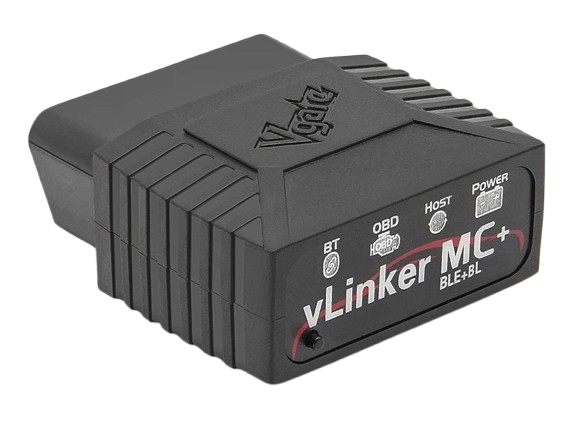
vLinker Family
vLinker MC+ (BLE), FS (MFi) and MS (MFi): great mid-range options.
The manufacturer ships regular bug-fix updates and users can update them from their phone. Any of them works well on Android; on iPhone you'll need to choose a BLE or MFi model.
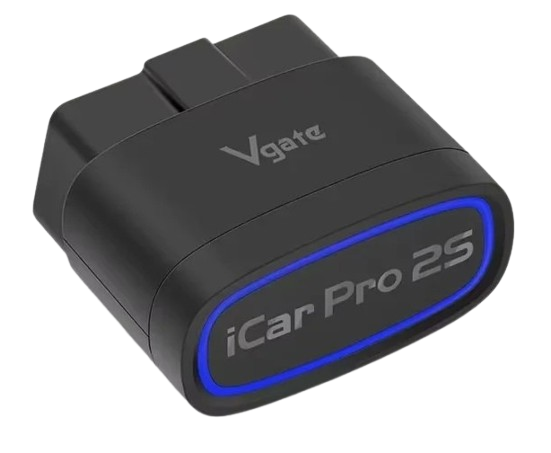
Vgate iCar Pro 2S
Bluetooth 2.0 (Classic) + Bluetooth 4.0 (LE), hybrid chip: works on iOS and Android
The successor to the iCar Pro BLE, with superior performance and stability.
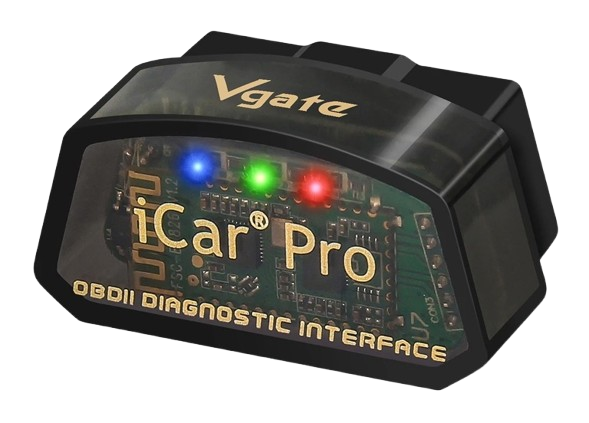
Vgate iCar Pro BLE
Bluetooth 2.0 (Classic) + Bluetooth 4.0 (LE), hybrid chip: works on iOS and Android
Great value for money.
Car2LS ScanX
A respectable alternative compatible with both iOS and Android (BLE) at an attractive price.
Adapters to avoid
- xTool-branded adapters: not compatible with the ELM327 standard; locked to work only with the manufacturer's own software.
- Wired adapters (USB / serial) if you use an iPhone: they work on Android only, because iOS does not allow this kind of accessory.
- Anything with "mini" in the product name: the vast majority are generic and low quality.
- Very cheap units (below roughly US$10): the savings aren't worth the stressful quality you get along with them.
- Adapters whose Bluetooth MAC address starts with '11:22:33' or '00:00:00': an almost universal sign of counterfeiting or piracy.
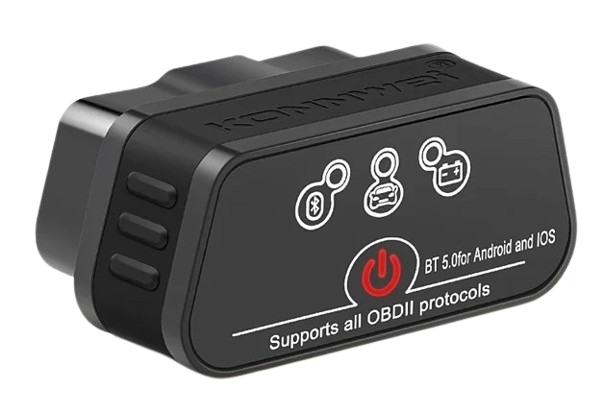
- KONNWEI adapters: quality has dropped considerably, or has become very questionable in recent versions with massive data loss.
- "Micro Mechanic"-branded adapters: they fail constantly.
- "THINMI.COM"-branded adapters: they tend to fail and return false vehicle information when they don't actually have it.
- KUULAA-branded adapters: they fail to maintain the connection and are unreliable.
- Generic blue oval adapters sold under dozens of random names: some are perfectly usable if you get lucky with the copy you buy, but the failure rate is so high that the lottery just isn't worth it.
Quick summary
- iPhone / iPad: choose a Bluetooth LE (balanced) or a Bluetooth MFi (maximum performance). Never buy a Bluetooth Classic.
- Android: choose a Bluetooth Classic for more speed and reliability; a BLE as a second option if your phone is already connected to several Bluetooth devices (the car's built-in audio / infotainment system); or a USB adapter over an OTG cable, which skips pairing and radio interference altogether.
- All platforms: spend a little more on a reputable brand. The headache a fake clone causes, or the danger it poses to your car, doesn't tip the scales against a well-known good adapter that costs a bit more.